

Free AI Detection Remover

Enter or paste your text and click Humanize.
Trusted By 1M+ Users Worldwide








How People Actually Use an AI Detection Remover?
Most users rely on an AI Detection Remover to rewrite AI text in a way that fits their own style and context. The process is quick, flexible, and designed to feel natural from start to finish.
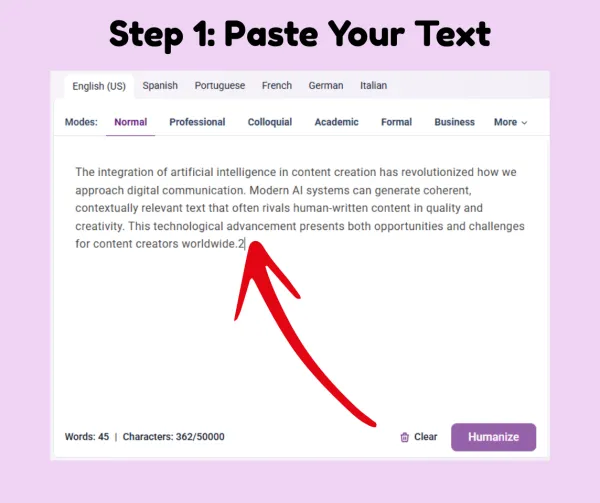
Step 1: Paste Your AI Text
Paste your draft into the AI Detection Remover. It works with anything from a short paragraph to a full article. This makes even rough AI drafts ready for a human-like rewrite.
Step 2: Choose Style, Language, and Length
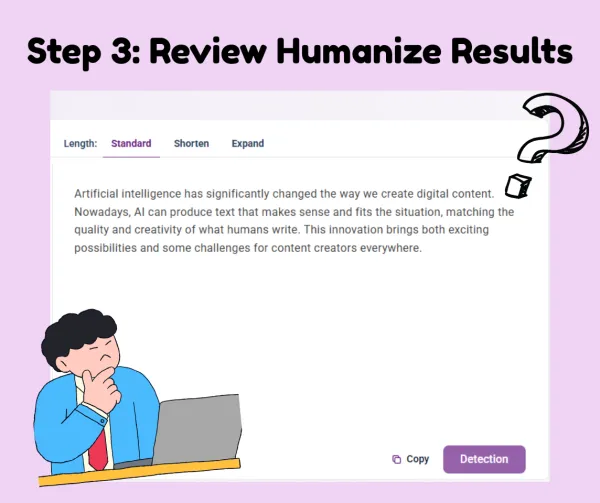
Step 3: Rewrite and Remove AI Detection
Step 4: Review and Use Anywhere
What You Really Gain From Using an
AI Detection Remover
The value of an AI Detection Remover is in turning AI-assisted writing into text that reads naturally, humanly, and convincingly, without changing your original ideas.
Humanized, Authentic Writing
The AI Detection Remover transforms stiff, machine-like sentences into natural, human-sounding language that reflects your authentic voice and tone. Every paragraph feels like it was written by a real person, with varied sentence length, casual phrasing where appropriate that make reading effortless.
Preserve Your Original Ideas
All arguments, intent, and meaning remain exactly the same. The AI Detection Remover focuses on refining how your ideas are expressed rather than changing them. You can maintain the nuance and style you intended while still making the writing sound fully human and polished.
Flexible Across Languages and Styles
Before rewriting, you can select the output language, writing style, and text length. The AI Detection Remover adapts to formal, casual, or creative tones, and supports multiple languages, making it suitable for academic, professional, or marketing content without losing readability or authenticity.
Save Time and Effort
Instead of laboriously rewriting AI text line by line, the AI Detection Remover handles most of the work automatically. You only need to make light adjustments if desired, freeing up hours of editing time while still ensuring that the final output reads naturally and can be published with confidence.
What Makes This AI Detection Remover Stand Out
Context-aware Rewriting
The AI Detection Remover understands the meaning behind your sentences and adjusts phrasing accordingly. It keeps your ideas intact while making the text sound natural and readable. This ensures even complex paragraphs retain clarity and coherence.
Remove AI From Text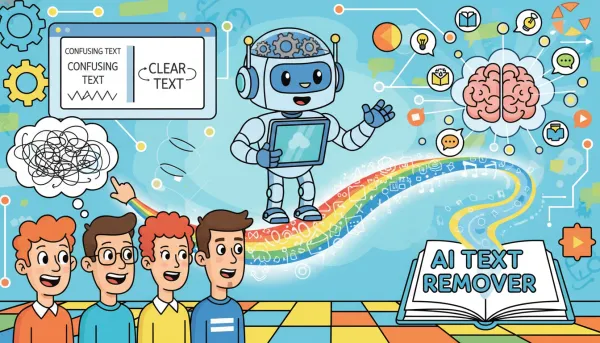
Multiple Language and Style Options
You can choose output language, tone, and text length before rewriting. The AI detection removal adapts to academic, casual, or professional styles and works across multiple languages for global use. This flexibility makes it ideal for content creators with diverse needs.
Remove AI From Text
Removes Detectable AI Patterns
The tool identifies repetitive phrasing and rigid sentence structures that AI often produces. After rewriting, your text appears natural, human-written, and less likely to trigger AI detection tools. You can confidently publish without worrying about AI detection flags.
Remove AI From Text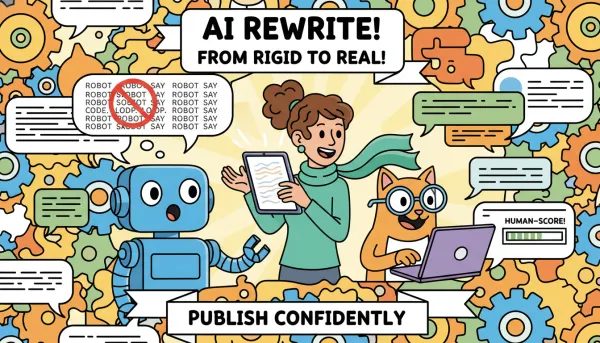
Clean, Ready-to-use Output
The AI Detection Remover delivers text that’s easy to copy and publish. Minimal editing is required, saving you time while ensuring content quality and readability. The output is polished and can be used immediately in any professional or casual context.
Remove AI From Text
When an AI Detection Remover Makes the Biggest Difference?
Dechecker AI detection removal is designed to help in a variety of real-world writing scenarios, making AI-assisted text sound human and polished.

Academic Writing and Essays
Students use the AI Detection Remover to rewrite AI-assisted drafts into natural academic language. This helps maintain originality while producing work that reads like genuine human writing. It also saves time compared to manual editing.

Blogging and Content Creation
Bloggers and writers apply the AI Detection Remover to produce engaging, human-like posts. It ensures articles flow naturally and capture the reader’s attention without obvious AI traces. Writers can quickly adjust tone to fit different topics.

Marketing Copy and Brand Content
Marketing teams rely on the AI detection removal to rewrite AI-generated copy into brand-aligned messaging. The text feels authentic and resonates with the target audience. It also helps maintain consistency across campaigns.

Professional Reports and Communications
Professionals use the AI Detection Remover for emails, internal reports, and documentation. It helps present information clearly, naturally, and without the stiff tone often associated with AI writing. This ensures recipients focus on content rather than style.

Social Media Posts and Captions
Content creators leverage the AI Detection Remover to make social media posts sound conversational and human. It helps posts gain better engagement while hiding AI origins. The tool adapts easily to trending tones and formats.

Creative Writing and Storytelling
Writers use the AI Detection Remover to refine AI-generated stories, scripts, or narratives. The tool ensures dialogue, descriptions, and pacing feel authentic and human-crafted. It also preserves the writer’s original creative vision.
What Real Users Are Saying
About the AI Detection Remover
Here’s what people from different backgrounds think after using the AI Detection Remover to humanize their AI-generated text.



FAQ
Frequently Asked Questions About the AI Detection Remover
Is the AI Detection Remover free to use?
Dechecker uses a freemium model. Guest users can use the tool up to 5 times per day. After signing in, users receive monthly credits that can be used across supported Dechecker tools. When the free daily limit or monthly credits are used up, users need to subscribe to a paid plan to continue using the tool.
What Is an AI Detection Remover?
An AI Detection Remover is a tool that rewrites AI-generated text to sound human, removing patterns that might reveal it was AI-written. It keeps your original ideas intact while making content more natural and readable.
How Does the AI Detection Remover Work?
It analyzes sentence structure, word choice, and phrasing, then rewrites the text to humanize it. Dechecker AI Detection Remover also adjusts tone, style, and length based on your preferences.
Can I Use It for Multiple Languages?
Yes. The AI Detection Remover supports multiple languages, allowing you to rewrite AI-generated text in the language you need without losing clarity or meaning. This makes it useful for global projects, international blogs, or multilingual communications.
Can I Choose Different Writing Styles?
Absolutely. You can select casual, formal, creative, or professional styles. The AI Detection Remover adapts the output to fit your intended audience and context. This ensures the content feels consistent with your brand or personal voice.
Will It Change My Original Ideas?
No. Dechecker AI Detection Remover focuses on rewriting the text for readability and natural tone while keeping your original meaning and key points unchanged. You can confidently retain your thoughts and structure while improving the writing style.
Is It Suitable for Academic Use?
Yes, students often use the AI Detection Remover for essays and research drafts. It helps texts read naturally while maintaining the author’s voice and ideas. This way, assignments feel authentic and avoid AI detection flags.
Can I Use It for Marketing or Social Media Content?
Definitely. Dechecker AI Detection Remover makes AI-generated marketing copy, posts, and captions feel authentic, engaging, and tailored to your audience. It’s especially helpful for brands looking to maintain a consistent and human-like tone.
How Fast Is the Rewriting Process?
Dechecker AI Detection Remover works in seconds, producing polished, human-like content immediately. You can quickly review and publish without lengthy manual edits, saving time while still maintaining high-quality writing.