
Free AI Video Summarizer
Trusted by 1M+ users worldwide






How to Use the Video Summarizer
Start using the video summarizer in seconds with a simple, no-friction workflow. It is designed so anyone can get results instantly without learning anything new.
Step 1: Upload your video
Drop your video file into the video summarizer, and it will instantly recognize the content and prepare it for analysis. There is no need to adjust settings or configure anything manually, and the process works smoothly across different types of video files, making it easy to generate clear summaries from uploaded videos in just a few seconds.
Step 2: Run the video summarizer
With a single click, Dechecker video summarizer tool begins processing the video using AI to extract key insights and structure the content. The process is fully automated and optimized for speed, so you do not have to wait or manage any steps yourself.
Step 3: Get results
Within seconds, the video summarizer generates summaries, transcripts, and insights you can explore. You can also ask follow-up questions to better understand specific parts of the video and quickly find the information you need.
Why This Video Summarizer Delivers Better Results
This video summarizer is designed to help you save time, stay focused, and learn more efficiently. It turns long-form video content into something you can actually use and revisit anytime.
Save significant time with the video summarizer
Instead of spending hours watching entire videos, the video summarizer extracts only meaningful insights, removes repetitive explanations, and condenses content into structured highlights. This allows users to turn long-form content such as webinars, lectures, or tutorials into digestible summaries that can be read in minutes while still preserving essential meaning.
Understand complex content more easily
The video summarizer transforms unstructured spoken content into logically organized summaries that break down complex ideas into simpler explanations. This is especially useful for technical, academic, or fast-paced videos where information is dense, making it easier for users to understand concepts without needing to pause or replay sections repeatedly.
Stay focused on what actually matters
By filtering out filler speech, off-topic discussions, and redundant explanations, the video summarizer ensures that users only see the most relevant information. This significantly reduces mental fatigue and allows users to focus on actionable insights instead of getting lost in unnecessary content.
Improve retention and learning outcomes
The structured format generated by the video summarizer tool helps users retain information more effectively by presenting ideas in a clear and logical sequence. This improves long-term memory, supports faster revision, and makes it easier to revisit and connect concepts when needed later.
Core Features of the Video Summarizer
A powerful video summarizer built to handle real-world learning, research, and productivity needs by converting raw video content into structured, actionable knowledge.
AI-powered summary engine for accurate results
The video summarizer uses advanced AI models to process spoken content, identify key themes, and generate accurate summaries that reflect the original intent of the video. It adapts to different speaking styles, accents, and content types, making it reliable for educational, professional, and casual use cases where consistency and clarity are essential.
Summarize your video now!
Automatic transcript generation for full access
Every video processed by the video summarizer includes a complete transcript that allows users to read, search, and reference exact parts of the content. This is particularly useful when users need to extract quotes, verify details, or quickly locate specific information without rewatching the entire video.
Summarize your video now!
Mind map visualization for better understanding
The video summarizer converts linear video content into structured mind maps that visually represent how ideas are connected. This helps users quickly grasp overall structure, especially when dealing with complex topics, long educational material, or multi-step explanations that are difficult to follow in raw video format.
Summarize your video now!
Interactive chat for deeper insights
The built-in chat feature in the video summarizer allows users to ask follow-up questions about the content and receive contextual answers instantly. This turns static summaries into an interactive learning environment where users can explore deeper meaning, clarify confusion, or expand understanding of specific sections.
Summarize your video now!
Who Uses a Video Summarizer?
The video summarizer is built for diverse real-world scenarios where users need to process large amounts of video content efficiently without sacrificing understanding or detail.
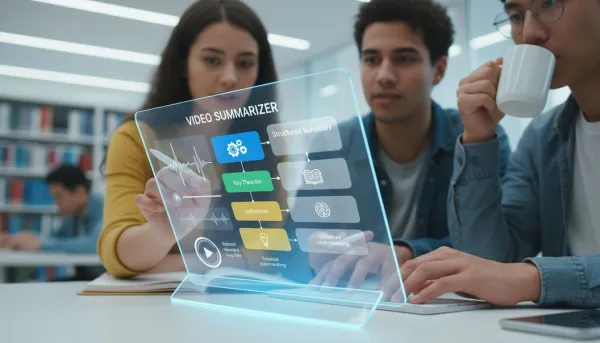
Students reviewing lectures efficiently
Students use the video summarizer to convert long academic lectures into structured summaries that highlight key theories, definitions, and explanations. This helps them prepare for exams faster, reduce repetitive viewing, and focus on understanding core concepts rather than memorizing entire lectures.

Professionals handling recorded meetings
Professionals rely on the video summarizer to extract decisions, action points, and key discussion highlights from long meetings or presentations. This improves productivity by eliminating the need to rewatch recordings while ensuring no important information is missed.
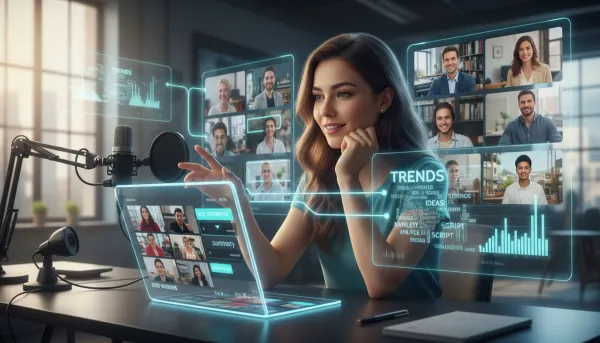
Content creators doing research faster
Content creators use the video summarizer to quickly analyze large volumes of video content, identify trends, and extract ideas for scripts or content planning. This significantly reduces research time and allows them to focus more on creation rather than consumption.
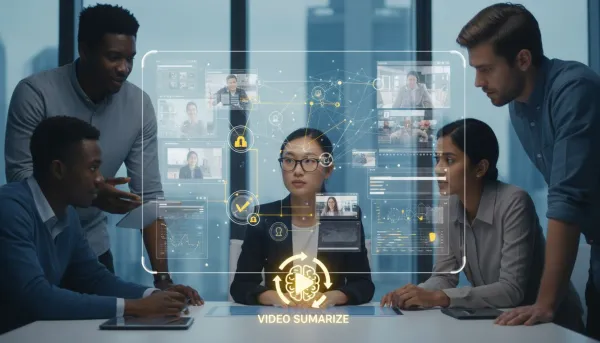
Researchers processing large volumes of video content
Researchers benefit from the video summarizer tool by efficiently analyzing multiple sources of video data and extracting structured insights for academic or professional work. This reduces manual effort while improving the speed and consistency of research analysis.

Language learners improving comprehension
Language learners use the video summarizer tool to combine transcripts with summarized content, helping them understand spoken language more clearly. This also supports vocabulary building and listening practice by allowing repeated review of difficult sections.

Busy individuals saving time daily
Busy users rely on the video summarizer to quickly extract key insights from videos without watching them fully. This helps them stay informed, make faster decisions, and manage limited time more effectively.
What Users Say About This Video Summarizer
Hear from students, educators, and professionals who rely on our video summarizer to streamline their learning and work, making information more accessible and efficient.



FAQ about Video Summarizer
Everything you need to understand how the video summarizer tool works, what it can do, and how it fits into your daily workflow. This section is designed to help users quickly evaluate whether the tool matches their needs.
What is a video summarizer and how does it work?
A video summarizer is an AI-powered tool that converts long videos into structured summaries, transcripts, and key insights. It works by analyzing spoken content, detecting important topics, and organizing information into readable sections so users can quickly understand the main ideas without watching the full video.
How accurate is this video summarizer?
The video summarizer is built on advanced AI models that are trained to understand spoken language, context, and structure. In most cases, it produces highly accurate summaries, especially for clear audio and structured content like lectures, tutorials, or presentations. However, performance may vary slightly depending on background noise or unclear speech.
Can the video summarizer handle long videos?
Yes, the video summarizer is specifically designed to handle long-form content such as hour-long lectures, webinars, interviews, or podcasts. It does not lose structure when processing long videos and still extracts key points efficiently, making it useful for both short clips and extended content.
Does the video summarizer generate full transcripts?
Yes, every video processed by the video summarizer automatically comes with a full transcript. This allows users to read the entire content, search for specific phrases, and quickly locate important sections without needing to rewatch the video.
Is the video summarizer free to use?
Dechecker offers a free video summarizer that allows users to access core features without payment. This makes it accessible for students, professionals, and casual users who want to save time without committing to a paid plan immediately.
What video file size and formats does the video summarizer support?
The video summarizer supports common video formats such as MP4, MOV, and AVI, allowing users to upload most standard video files without conversion. It is designed to handle both small and large video files efficiently, so users can summarize short clips or long recordings without worrying about technical limitations. The system automatically processes the uploaded video and generates structured summaries based on the content, ensuring a smooth and consistent experience across different file types and sizes.
Can I ask questions about the video content?
Yes, the video summarizer includes an interactive chat feature that allows users to ask questions about the video. You can request clarifications, explore specific topics, or dive deeper into any section of the summary for better understanding.
What types of videos can I use with the video summarizer?
The video summarizer tool supports a wide range of content including YouTube videos, educational lectures, tutorials, business presentations, interviews, and more. It is flexible enough to handle both casual and professional use cases across different industries.
Who should use a video summarizer?
A video summarizer is useful for students, professionals, researchers, content creators, and anyone who regularly consumes video content. It is especially valuable for people who want to save time, improve understanding, or quickly extract key insights from long videos.
How does the video summarizer improve productivity?
The video summarizer improves productivity by eliminating the need to watch entire videos. Instead, it provides structured summaries and transcripts that allow users to quickly absorb information, make decisions faster, and focus only on the most relevant parts of the content.