
Free Undetectable AI
Enter or paste your text and click Humanize.
Trusted by 1M+ users worldwide




How to Use Undetectable AI?
Step 1: Add Your AI-Written Draft
Paste your AI-generated text into the editor, or upload the document you want to improve. Use the full draft when possible, so Undetectable AI can understand the context, flow, and purpose behind the writing. Before moving on, check that nothing is missing, cut off, or badly formatted.
Step 2: Set the Output You Want
Choose Basic or Advanced mode, then select the output language. If needed, freeze names, SEO terms, product phrases, or technical wording before rewriting. You can also adjust tone, length, draft quantity, and cleanup options to help Undetectable AI create cleaner drafts without losing the parts you need to keep.
Step 3: Polish, Edit, and Review
Click Humanize to generate draft versions, then compare them and choose the one closest to your goal. After Undetectable AI rewrites the text, you can edit words, rewrite specific sentences, or run another pass if needed. Use the AI score check before you copy, export, or publish the final content.
Why Choose Our Undetectable AI?
Undetectable AI helps make AI drafts feel natural, accurate, and ready to use without losing the message behind them.
Publish-Ready Writing
A first AI draft can be useful, but it often needs a final layer of human polish before it belongs on a page, in an email, or in a submission. Undetectable AI smooths awkward phrasing, repeated patterns, and overly formal wording so the text feels easier to read. The result is a cleaner draft that sounds more intentional and closer to publish-ready content without a long manual rewrite.
Keep Voice and Meaning
Strong rewriting should not erase the point of the original draft. Undetectable AI improves how the text reads while keeping the core idea, tone, and essential wording in place. If names, keywords, brand terms, citations, or product details matter, you can protect them before rewriting. This makes the tool useful when accuracy and voice matter as much as naturalness.
Choose the Best Draft
Not every rewrite lands the same way. Undetectable AI can generate multiple versions, giving users room to compare tone, rhythm, and clarity before choosing a final draft. One version may fit a formal report, while another may work better for a blog or email. This makes the process less random and gives users more control over the final result.
Review With AI Score
Sounding natural matters, but users also need a way to review the final result. Undetectable AI includes AI score checking so you can see how the rewritten content appears after humanization. This gives one more practical signal before using the text. If the result still feels too AI-like, you can edit, rewrite selected parts, or run another pass.
Everything You Need for Undetectable AI Writing
Natural Rewrite Modes
Some AI drafts only need light smoothing, while others need deeper rewriting before they feel comfortable to read. Undetectable AI lets you choose a mode that fits the job, from fast everyday polishing to a more careful rewrite for important content. This keeps simple text from being over-edited while still giving stronger options for long-form, formal, or high-stakes drafts.
Improve My AI Draft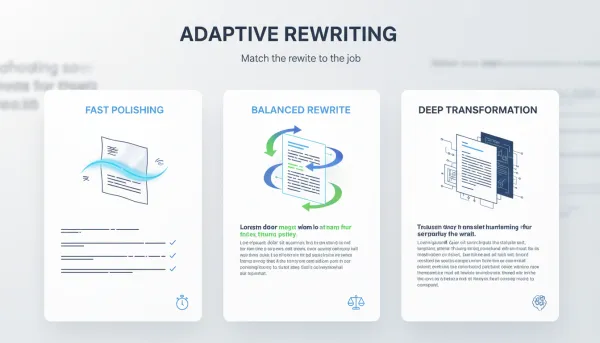
Keyword and Phrase Protection
When a draft includes SEO phrases, brand names, product labels, academic terms, or approved wording, those details need to stay stable. Undetectable AI lets you protect key terms before rewriting so the final text stays accurate. This helps marketers, students, freelancers, and teams get more natural writing without losing details that make the content useful, searchable, or correct.
Improve My AI Draft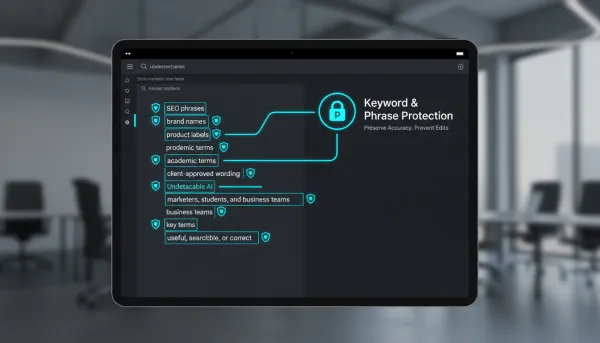
Multiple Drafts and Cleanup
Undetectable AI can create several rewrite options so users can compare results instead of accepting the first version. It can also clean the source text by removing strange spacing, hidden characters, unusual quotation marks, dashes, or rough formatting. Cleaner input and multiple drafts give users a better chance of choosing a version that feels natural and fits the purpose.
Improve My AI Draft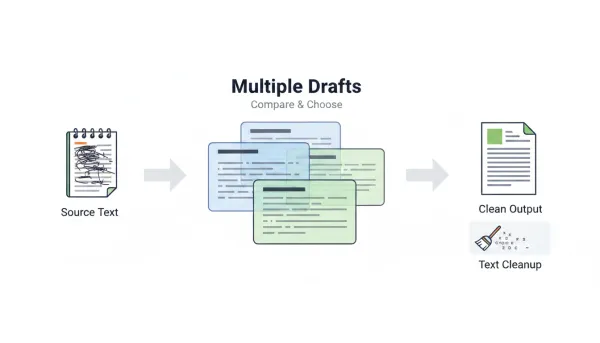
Editable Sentence-Level Output
A good final draft usually needs a little human judgment. Undetectable AI lets users keep editing after rewriting, whether they want to adjust wording, replace single words, rewrite a sentence, or humanize the output again. This makes the tool feel more like a writing workspace, while users stay in control of the final result.
Improve My AI Draft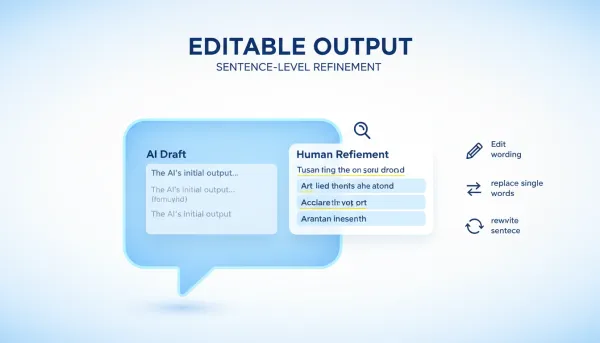
Who Benefits From Undetectable AI?
Undetectable AI is useful for students, marketers, teams, and creators who need AI drafts to sound natural and usable.

Academic Writers
Students often use AI to turn rough notes into outlines, summaries, or early essay drafts. The ideas may be clear, but the writing can still feel stiff or unlike the student's own voice. Undetectable AI helps smooth rough parts while keeping the main argument, key terms, and structure in place. It works well for essays, research notes, applications, and study materials that need to sound clear without becoming generic.

SEO Teams
SEO teams need content that keeps the right keywords while still feeling useful to real readers. AI drafts can save time, but they often need another pass before they are ready for blogs, landing pages, newsletters, or product descriptions. Undetectable AI helps clean up the wording without removing important search terms. Writers can compare versions, choose the best fit, and make final edits before publishing.

Business Teams
AI can quickly draft emails, reports, proposals, or client updates, but the first version often sounds flat or too formal. Undetectable AI helps make business writing clearer and more natural while keeping names, numbers, project details, and key points accurate. For teams writing to clients, managers, or partners, it saves cleanup time and makes the final draft easier to send.

Creators and Freelancers
For creators and freelancers, the challenge is not just getting words on the page. It is making those words feel like they belong to you. Captions, scripts, newsletters, portfolio copy, and social posts may start from an AI draft, but they still need personality. Undetectable AI helps clean up rough drafts while keeping the main idea and signature phrases intact.
What Users Say About Undetectable AI
Users share how Undetectable AI helps them polish drafts, keep important wording, and feel more confident before publishing.



FAQ About Undetectable AI
Find answers about using Undetectable AI, protecting key wording, editing results, and reviewing AI score feedback.
Is Undetectable AI free to use?
Dechecker uses a freemium model. Guest users can use the tool up to 5 times per day. After signing in, users receive monthly credits that can be used across supported Dechecker tools. When the free daily limit or monthly credits are used up, users need to subscribe to a paid plan to continue using the tool.
What is Undetectable AI?
Undetectable AI helps you take an AI-written draft and turn it into something that reads more naturally. It keeps the main idea and important wording in place, while giving you space to edit the result and check the AI score before you use it.
How does Undetectable AI work?
Undetectable AI reads your draft, then helps you humanize AI text with more natural wording, smoother rhythm, and better sentence variety. After rewriting, you can edit the output and use an AI score check to review the final result.
Can Undetectable AI protect my keywords?
Yes. You can freeze keywords, names, SEO phrases, product terms, technical wording, or brand language before rewriting. This helps Undetectable AI improve the draft without removing the words that matter for meaning, accuracy, or search performance.
Can I choose how the output should sound?
Yes. With Undetectable AI, you can choose how the rewrite should come out, from the model and language to the tone, length, and number of drafts. That makes it easier to shape the result around the piece you are working on, whether it is an essay, article, email, report, or marketing page.
Does Undetectable AI create multiple drafts?
Yes. Trying a few versions makes it easier to find the tone that fits before you settle on the final draft. Some rewrites may flow better than others, and the first one is not always the best. Having a few options gives you more room to choose instead of hoping one version gets everything right.
What kinds of content can I rewrite?
Undetectable AI works for essays, blog posts, emails, reports, scripts, newsletters, social captions, landing pages, and similar drafts. It usually does its best work when you give it enough context first. A short, thin prompt can lead to writing that feels generic or dry, while a fuller draft helps the tool keep the message, tone, and details intact.
Will Undetectable AI change the meaning of my text?
Undetectable AI is designed to keep your main idea while improving how the draft reads. You should still review the output carefully, especially for academic, legal, medical, financial, or technical content where exact wording and accuracy are important.
Can I keep editing after the rewrite?
Yes. Once Undetectable AI gives you a rewritten draft, you can still tweak the wording, rewrite small parts yourself, or run another pass if something feels off. That extra control helps you shape the final version before you copy, export, or publish it.